Embed a 3D viewer on your site
Drop the PartWork 3D viewer onto any page in two lines. Visitors can view STEP, STL, IGES, OBJ, DXF, BREP, and GLB parts right in the browser — rotate, zoom, switch light/dark — with nothing for them to install and no signup to look. It’s free; downloads and AI editing continue in PartWork Studio.
Live widget above, styled as a fictitious company — its own logo, name, and colors (data-logo, data-brand, data-pw-accent, data-pw-model). Match it to your site. With your own name in the header, a small “Powered by PartWork.ai” footer stays.
Option 1 — WordPress plugin (no code)
On WordPress? Install the free PartWork.ai 3D Viewer plugin from the official plugin directory:
- In your dashboard, go to Plugins › Add New and search for PartWork.
- Click Install Now, then Activate.
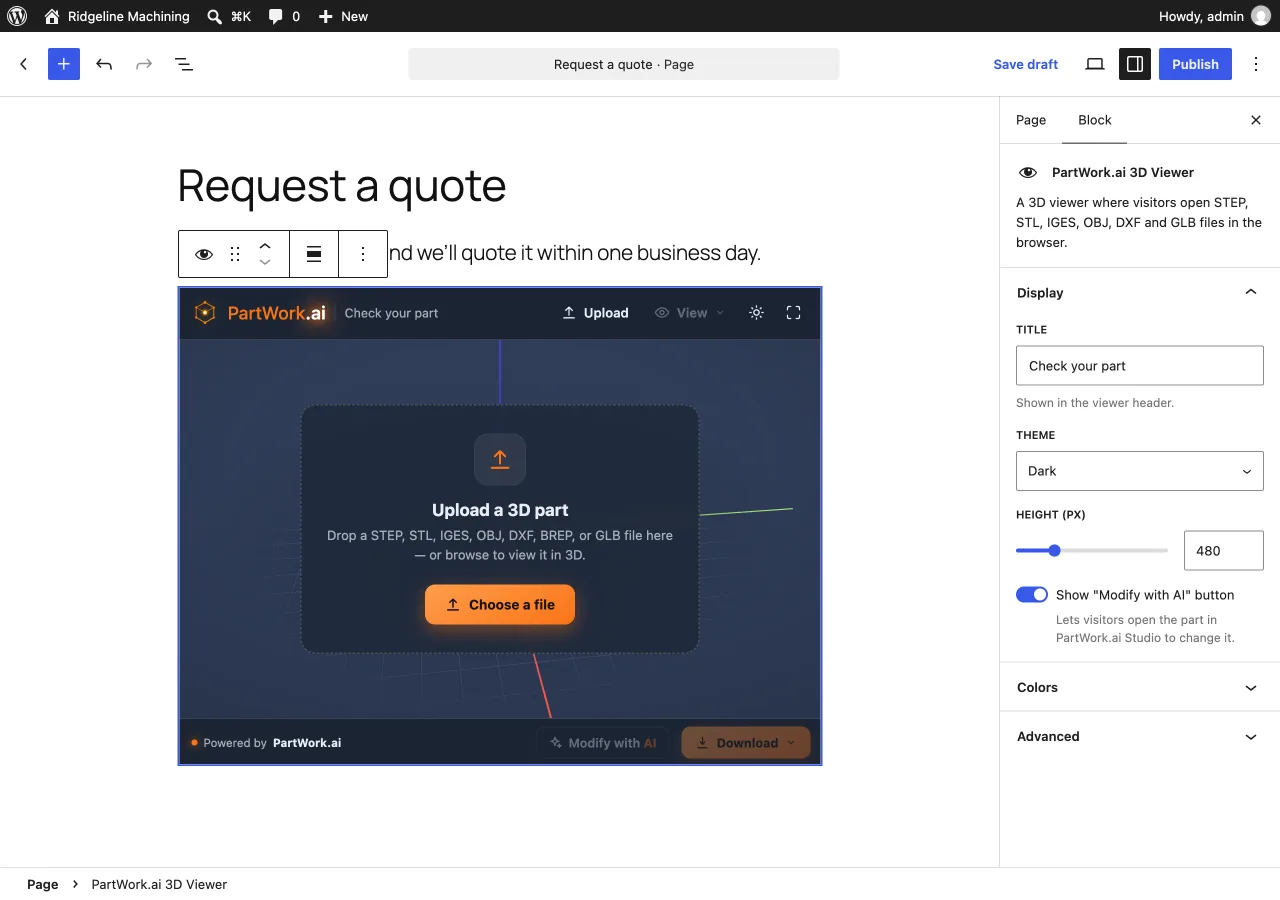
- Add the PartWork.ai 3D Viewer block to any page, and set its title, theme, height, and colors in the sidebar. To show a part of your own, pick its STEP or STL file from your Media Library in the block’s Model settings. Classic editor? Use the shortcode
[partwork_viewer].
Option 2 — iframe (any site)
Paste this anywhere. Set the height you want; the viewer fills its container.
<iframe
  src="https://cdn.partwork.ai/viewer/index.html?theme=dark&model=https://example.com/part.step"
  style="width:100%;height:540px;border:0;border-radius:14px"
  title="PartWork 3D Viewer"
  loading="lazy"
allow="fullscreen"></iframe>Option 3 — script embed (lightweight)
A ~2 KB loader that mounts the viewer in an iframe — the 3D engine loads inside the frame, so your page stays light. Use one <script> and a <div> per viewer.
<script src="https://cdn.partwork.ai/viewer/partwork_viewer_widget.js" defer></script>

<div data-partwork-viewer
     data-theme="dark"
     data-model="https://example.com/part.step"
style="width:100%;height:540px"></div>Options
Set these as data-* attributes (script embed) or URL parameters (iframe).
| Attribute / param | Description |
|---|---|
data-model / ?model | URL of a model to show: a STEP, STL, IGES, OBJ, BREP or GLB file on your own site, over https. The first view converts it (a few seconds); later views load instantly. Omit to show an upload prompt. |
data-theme / ?theme | light or dark (default dark). Visitors can also switch it from the viewer’s menu. |
data-name / ?name | Title shown in the viewer header. |
data-cta / ?cta | Set to off to hide “Modify with AI” in the viewer’s menu. |
data-upload / ?upload | Set to off for a pure viewer of your data-model (no upload/convert). |
data-skin / ?skin | Corner style preset: square, rounded, or flat. |
data-font / ?font | CSS font stack for the widget UI, e.g. Inter, sans-serif. |
data-pw-* | Color/style tokens: data-pw-model (part color), data-pw-scene-bg, data-pw-accent, data-pw-text, data-pw-grid, data-pw-radius. Any value is a valid CSS color/size. |
?chrome=card | iframe only — the “floating card” look with a margin (default fills the frame). |
Attribution (required on the free tier)
The viewer shows a PartWork.ai link: the name in its header, or a small “Powered by PartWork.ai” footer when the header carries your own brand. Embedding for free is allowed on any site, with one condition: keep that link visible and clickable — don’t remove, hide, cover, or disable it. That credit is what keeps the viewer free to embed. Want it gone or replaced with your own branding? A white-label license is available — talk to us. Full terms: the embed viewer license.
Notes
- Free to embed and to view; nothing to install on the host page (the WordPress plugin just adds the block).
- Responsive down to phone widths; works in light and dark.
- Selling parts with only a drawing, no CAD file? We can turn the drawing into the STEP file the viewer shows: see the 3D product viewer guide.
- Customize fonts and colors with
data-fontand thedata-pw-*tokens above — or build your snippet visually with the live configurator.